
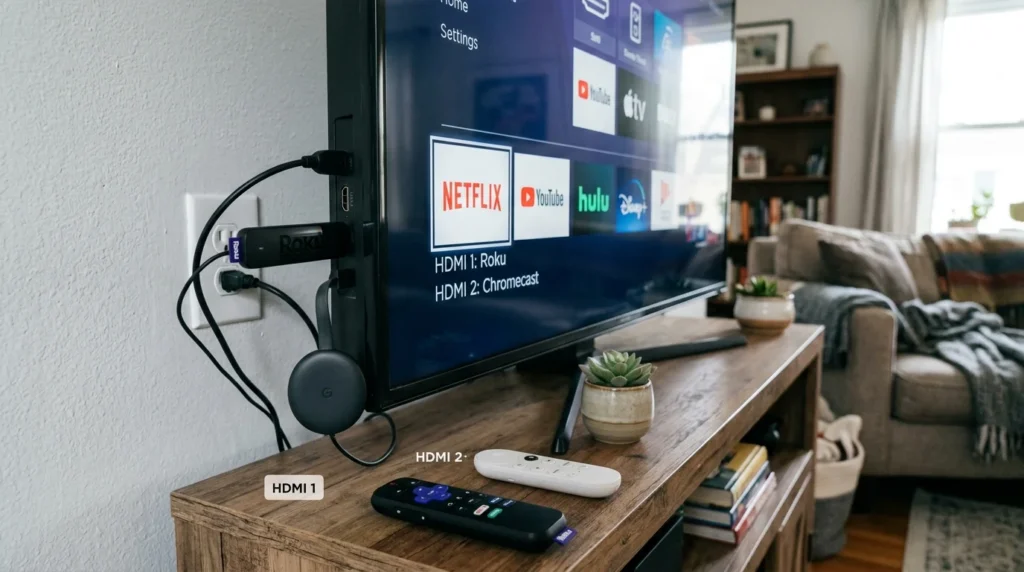
Choosing between Roku or Chromecast can be confusing because both are designed to make watching streaming content easier. They can connect to a TV and provide access to popular streaming services, but they take different approaches to how you interact with your television.
Although they look/sound similar, they serve completely different purposes. More accurately, Roku and Chromecast are different streaming platforms and device approaches, and the better option depends on whether you prefer a traditional on-screen interface, casting from another device, smart-TV integration, or a particular ecosystem.
One important update is that Google’s current successor to Chromecast is Google TV Streamer, introduced in 2024. Traditional Chromecast devices are no longer Google’s main new streaming-hardware product.
Roku, meanwhile, continues to offer dedicated streaming players and Roku-powered TVs.
What Is Roku?
Roku is a streaming platform and hardware brand that provides access to television shows, movies, live channels, and other streaming services.
Roku devices connect to a TV and provide their own on-screen operating system, meaning you generally don’t need a phone to navigate the interface.
How Roku Works
A Roku streaming player connects to a television, usually through HDMI.
After connecting it to the internet, you can use a Roku remote to browse apps and streaming services directly on the TV.
Common features include:
- On-screen menus
- Streaming apps
- Remote control
- Search
- Voice features on supported devices
- Free and paid streaming channels
- TV settings and personalization
Roku Devices
Roku has offered several types of products, including:
- Roku streaming sticks
- Roku streaming boxes
- Roku TVs
- Roku soundbars
Exact models and features vary by generation.
Short History of Roku
Roku was founded in 2002 and became known for making streaming television more accessible.
The company launched its first streaming player in 2008 and helped popularize dedicated streaming devices.
What Is Chromecast?
Chromecast was Google’s streaming-device platform designed to let users send content from compatible apps and devices to a television.
Traditional Chromecast devices were especially known for casting.
Instead of browsing a complete app interface with a conventional remote, users could often select content on a phone, tablet, or computer and send it to the TV.
How Chromecast Worked
A Chromecast device connected to the TV through HDMI.
A compatible phone, tablet, or computer could then control supported streaming content.
For example:
- Open a compatible streaming app.
- Select the Cast icon.
- Choose the Chromecast device.
- The content appears on the TV.
Chromecast With Google TV
Google later introduced Chromecast with Google TV, which added a more traditional TV interface and remote control.
This made it much more similar to other streaming platforms.
Google’s Current Successor
Google introduced the Google TV Streamer as the successor to Chromecast hardware.
This is important if you’re researching Roku or Chromecast today: traditional Chromecast devices are no longer the main new hardware option from Google.
Roku or Chromecast: Key Differences
When comparing Roku or Chromecast, the biggest difference is the user experience.
Key Differences
- Roku is built around a dedicated TV interface.
- Traditional Chromecast focused heavily on casting from another device.
- Roku commonly includes a physical remote.
- Chromecast with Google TV included a remote.
- Google now promotes Google TV Streamer instead of new Chromecast hardware.
- Roku offers dedicated streaming devices and Roku TVs.
- Chromecast worked especially well with Google’s casting ecosystem.
- Roku is generally straightforward for people who prefer navigating directly on the TV.
- Google TV products integrate closely with Google’s broader ecosystem.
- Features depend on the specific device and generation.
Comparison Table
| Feature | Roku | Chromecast |
|---|---|---|
| Main approach | Dedicated TV interface | Primarily casting on traditional models |
| Physical remote | Usually yes | Traditional Chromecast: no |
| On-screen interface | Yes | Chromecast with Google TV: Yes |
| Phone casting | Supported | Core feature |
| Streaming apps | Yes | Yes, depending on model |
| Roku TV support | Yes | No |
| Google ecosystem | Limited | Strong |
| Ease of navigation | Simple TV-based interface | Excellent for casting |
| Current Google hardware direction | Roku continues | Google TV Streamer replaced Chromecast hardware |
Real-Life Conversation Examples
Dialogue 1: Using a Remote
Emma: “I don’t want to use my phone every time I watch TV.”
Liam: “A Roku may suit you because you can navigate directly with the remote.”
🎯 Lesson: Roku is designed around a dedicated TV interface and remote.
Dialogue 2: Casting
Sarah: “I usually watch videos on my phone and want them on the TV.”
Tom: “Casting was one of Chromecast’s biggest strengths.”
🎯 Lesson: Chromecast became popular for simple device-to-TV casting.
Dialogue 3: Google Ecosystem
Mike: “I already use a lot of Google services.”
Anna: “A Google TV device may integrate naturally with that ecosystem.”
🎯 Lesson: Google’s current streaming hardware is centered around Google TV.
Dialogue 4: Choosing a Device
Jack: “Which one should I buy?”
Alex: “Compare the current Roku models with Google’s current Google TV hardware rather than assuming a new Chromecast model exists.”
🎯 Lesson: Product generations matter when comparing streaming devices.
When to Use Roku
Roku is a strong option if you want a straightforward television experience.
It may suit you if you prefer:
- A dedicated remote
- Simple on-screen menus
- Direct access to streaming apps
- Roku TV integration
- A platform that doesn’t require constant phone control
Roku can be particularly convenient for households where different people use the same television.
When to Use Chromecast
If you’re specifically considering a traditional Chromecast, remember that Google has moved on to newer Google TV hardware.
Traditional Chromecast can still be relevant if you already own one and it works well for your needs.
It is particularly useful for people who enjoy:
- Casting from smartphones
- Casting from computers
- Google ecosystem integration
- Simple device-to-TV streaming
For a new Google streaming-device purchase, Google TV Streamer is the more current product to compare with Roku.
Roku or Chromecast for Ease of Use
Both can be easy to use, but they approach television navigation differently.
Roku is generally straightforward for people who want to sit down, pick up a remote, and browse directly on the TV.
Traditional Chromecast is convenient for people who prefer selecting content from a phone or another device.
If you frequently share your TV with family members, a conventional remote-based interface may feel more natural.
Roku or Chromecast for Streaming Apps
Both platforms support access to major streaming services, but availability can vary by device, region, and service.
Before buying, check whether the exact streaming services you use are supported.
Also consider whether the platform provides the interface and search experience you prefer.
Roku or Chromecast for Phone Casting
This is where Chromecast historically had a major advantage.
Casting allowed users to start content on a phone and send it directly to the television.
Roku also supports certain casting technologies and compatible apps, but Chromecast’s casting experience was central to its identity.
Roku or Chromecast for Google Users
If you use services and devices throughout the Google ecosystem, Google TV hardware may provide a more integrated experience.
Google TV Streamer is Google’s current streaming hardware successor to Chromecast.
Roku can still work perfectly well with many Google-related services, but it isn’t Google’s own TV platform.
Roku or Chromecast for Older TVs
Both types of devices can be useful for TVs that don’t have modern streaming capabilities, provided the TV has a compatible HDMI input and the device meets the TV’s requirements.
A streaming device can effectively add modern streaming functionality to an older television.
Always check:
- HDMI availability
- Power requirements
- Wi-Fi compatibility
- Resolution support
- Device compatibility
Common Mistakes
Mistake 1: Thinking Chromecast Is Still Google’s Main Streaming Hardware
Google’s newer hardware direction is Google TV Streamer, which replaced Chromecast as its streaming-device line.
Mistake 2: Comparing Old and New Devices
Streaming technology changes quickly. Compare current models rather than relying on specifications from several years ago.
Mistake 3: Ignoring the Remote
Some people strongly prefer a physical remote, while others like controlling content from their phone.
Mistake 4: Forgetting App Availability
Always check whether your preferred services work on the exact device you’re considering.
Mistake 5: Comparing Only Price
Consider performance, software updates, remote features, storage, resolution, and ecosystem integration.
A Simple Memory Trick
Remember:
Roku → TV interface + remote
Chromecast → casting from another device
For Google’s current hardware:
Google TV Streamer → modern Google TV streaming device
This makes the basic distinction easy to remember.
Fun Facts or History
Fact 1: Chromecast Popularized Casting
Chromecast helped make the idea of sending video from a phone directly to a television mainstream.
Fact 2: Google Replaced Chromecast Hardware
Google introduced Google TV Streamer as the successor to Chromecast hardware, marking a shift toward a more traditional streaming-device experience.
Conclusion
When comparing Roku or Chromecast, remember that they represent different approaches to streaming. Roku focuses on a dedicated TV interface, remote control, and straightforward navigation. Traditional Chromecast became famous for letting users cast content from phones, tablets, and computers.
If you’re buying a new Google streaming device today, don’t limit your comparison to old Chromecast models. Google TV Streamer is Google’s current successor and is the more relevant product to compare with modern Roku devices.
The best choice ultimately depends on how you watch TV: choose Roku for a simple remote-based experience, or consider Google’s current Google TV hardware if casting and the Google ecosystem are important to you.